Key Takeaways
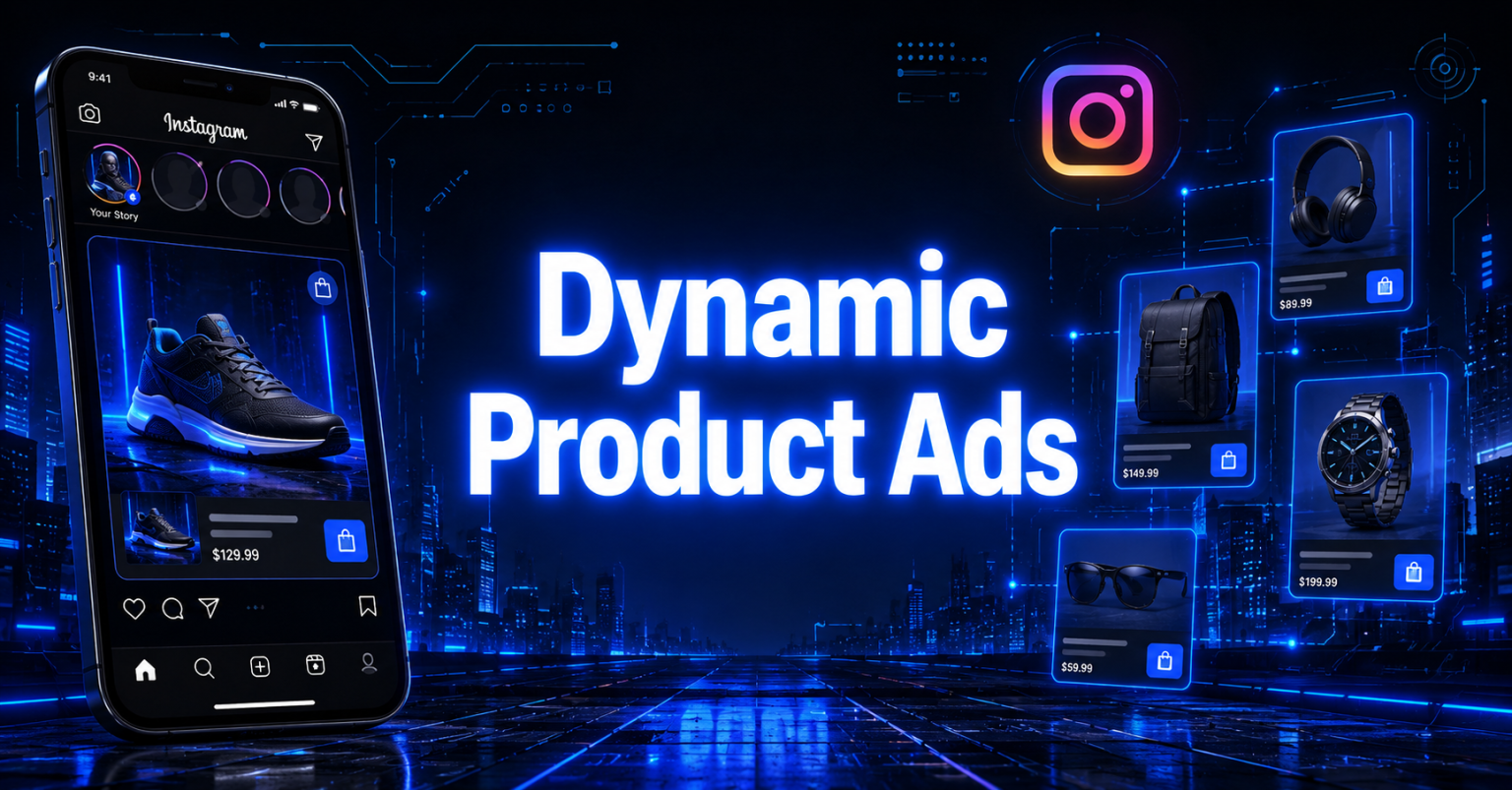
- Instagram Dynamic Product Ads are automated, catalog-driven ads that pull items from your Meta catalog and match each shopper with the products they are most likely to buy based on their browsing or purchase behavior on your site.
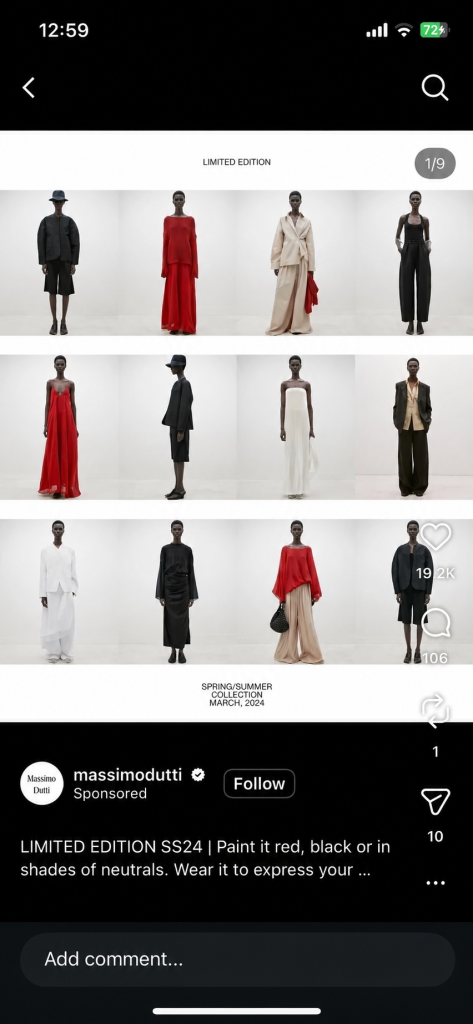
- Real brand examples like Massimo Dutti, ASOS, and Babybutter show how DPAs can be used for broad retargeting, clean editorial-style carousels, and offer-led intro cards that lift return on ad spend without building hundreds of manual creatives.
- To create Instagram DPAs, you need three building blocks installed and connected in this order, a Meta product catalog in Commerce Manager, a Meta Pixel or Conversions API on your store, and a dynamic ad template inside Ads Manager that auto-fills product details for every shopper.
- The best DPA accounts keep catalogs fresh, refresh creative templates every four to six weeks, layer retargeting windows, and use product images of at least 1080×1080 pixels to avoid the silent delivery cuts Meta applies to low-resolution images.
- At GetHookd, we help media buyers, dropshippers, agencies, and eCommerce brands uncover the exact creatives competitors are scaling on Meta, then clone and remix those proven angles into fresh Instagram DPA templates using AI script generation and image cloning.
What are Instagram Dynamic Product Ads (DPAs)?
Instagram Dynamic Product Ads (DPAs) are automated, personalized ads that pull items from your Meta catalog and show each shopper the products they are most likely to buy based on their on-site behavior. Brands like Massimo Dutti, ASOS, and Babybutter run them to retarget warm visitors and prospect new buyers without building hundreds of manual creatives.
To set them up, you need three building blocks, a Meta product catalog, a Meta Pixel or Conversions API installed on your store, and a single ad template inside Ads Manager that Meta dynamically fills in for every user. The harder part is not the setup. It is knowing which creative angles will actually convert.
That is where GetHookd comes in. We give media buyers, dropshippers, agencies, and eCommerce brands direct visibility into the ads competitors are scaling on Meta, so DPA templates start from proven winners.

GetHookd: Turn Competitor Intelligence Into Your Next Winning Ad
GetHookd reveals which ads your competitors are actively scaling—not just running. Spy on their best-performing creatives, landing pages, and traffic strategies, then turn proven concepts into testable campaigns in seconds with AI-powered script generation and creative cloning.
What You Get:- ✓ Brand Spy to decode competitor ad strategies in real-time
- ✓ AI script generation and ad cloning for instant variations
- ✓ Performance scoring based on actual ad behavior, not vanity metrics
- ✓ Creative Analyzer to identify and scale your top performers
Instagram Dynamic Product Ads: Real Brand Examples
1. Massimo Dutti: Broad Audience Retargeting
The Spanish fashion retailer used dynamic ads to push relevant products to users who had already shown intent on its site. By expanding its audience beyond pure retargeting pools and letting Meta’s algorithm find similar shoppers, Massimo Dutti improved return on ad spend while keeping creative production light.
The takeaway: DPAs aren’t just for retargeting. Paired with broad or lookalike targeting, they can scale prospecting too.
2. ASOS: Visual Clarity in Carousel DPAs
ASOS, the UK fashion retailer, runs Instagram DPAs in a clean carousel format with crisp product photography and minimal overlay text. Each frame focuses on a single garment with a direct shop prompt, making the ad feel closer to an editorial spread than a typical promotional unit.
This approach works because Instagram users scroll fast. A cluttered carousel breaks the visual rhythm of the feed. A clean one does not.

3. Direct-to-Consumer Carousel Retargeting
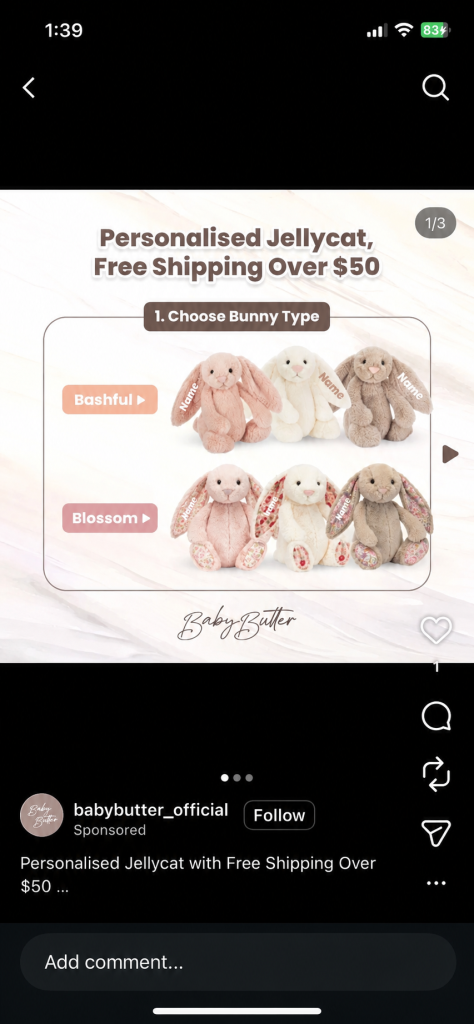
Many DTC brands run carousel DPAs that show four to six products a user recently browsed. The first card often introduces the offer (“Free shipping on orders over $50”), and the remaining cards pull from the catalog. Fixed intro cards work well because they frame the personalized items that follow.
How to Create Instagram Dynamic Product Ads?
Setting up DPAs takes three components: a product catalog, a tracking pixel, and an ad campaign. The fastest way to create Instagram DPAs is as follows:
- Install the Meta Pixel and Conversions API for accurate website and server-side tracking.
- Build your product catalog in Commerce Manager and upload your product feed.
- Connect your Pixel to your catalog to match customer behavior with product IDs.
- Create a dynamic ad campaign in Meta Ads Manager using a sales-focused objective and audience targeting.
- Design your dynamic ad template using formats like carousel, collection, or single image with auto-filled product details.
- Launch the campaign, allow Meta’s algorithm to learn, and optimize performance based on ROAS, CTR, and conversions.
Here is the full process inside Meta Business Suite and Ads Manager.
Step 1: Install the Meta Pixel and Conversions API
Open Meta Events Manager and select your ad account. Click “Connect Data Sources” and choose “Web.” Install the Pixel code on every page of your site, either manually or via a platform integration such as Shopify or WooCommerce.
Meta recommends pairing the Pixel with the Conversions API for server-side tracking. The combined setup gives you a more accurate signal, especially after iOS privacy changes reduced browser-based tracking.
Step 2: Build Your Product Catalog in Commerce Manager
Go to business.facebook.com/commerce and create a new catalog. Choose “Ecommerce” as the catalog type, then upload your product feed. You have three options:
- Connect directly to a platform (Shopify, WooCommerce, BigCommerce).
- Upload a CSV manually.
- Schedule a data feed URL that refreshes automatically.
Map the required fields: id, title, description, availability, condition, price, link, image_link, and brand. Product images should be at least 600×600 pixels, with 1080×1080 or higher recommended for Instagram quality.
Step 3: Connect Your Pixel to Your Catalog
Inside Commerce Manager, link your Pixel events to your catalog so Meta can match user behavior to specific product IDs. Aim for a match rate above 90% between Pixel events and catalog items. A weak match rate is the most common reason DPAs underperform.
Step 4: Create the Dynamic Ad Campaign
Open Meta Ads Manager and click “+Create.” Select a sales-aligned objective such as Sales or Catalog Sales. At the ad set level, choose your catalog and select your audience type:
- Retargeting (viewed products, added to cart, did not purchase).
- Broad / Advantage+ prospecting (let Meta find new shoppers).
- Custom or lookalike audiences built from existing customers.
Step 5: Design Your Ad Template
Pick a format: single image, carousel, or collection. Add dynamic fields like {{product.name}}, {{product.price}}, and {{product.description}} so each impression auto-fills with the relevant item. Carousel is the most common format because it displays multiple products in a single placement.
Add overlays for price, discount, or shipping if relevant. Keep templates mobile-first and vertical-friendly, since most Instagram placements (Stories, Reels, Feed on mobile) favor 4:5 or 9:16 ratios.
Step 6: Launch, Learn, and Optimize
Publish the campaign and let Meta’s algorithm gather data for at least seven days before making changes. Track Return on Ad Spend (ROAS), Cost Per Purchase, Click-Through Rate, and Conversion Rate. Avoid editing the audience or creative during the first few days, since constant changes reset the learning phase.

Best Practices to Get the Most From Instagram DPAs
A few tactical habits separate strong DPA accounts from average ones.
- Keep your catalog fresh. Out-of-stock or expired products kill ad relevance. Schedule daily feed updates if your inventory moves fast.
- Refresh creative templates monthly. Even though Meta auto-rotates products, the underlying template still fatigues. Swap backgrounds, overlay styles, or carousel intro cards every four to six weeks.
- Layer retargeting windows. Run separate ad sets for 1 to 7 day visitors, 8 to 30 day visitors, and 30 to 90 day visitors. Each group needs different messaging and a bid strategy.
- Use real performance signals to guide creative direction. This is where competitive ad research becomes essential. Knowing which creatives competitors are scaling on Meta tells you what hooks, formats, and offers already convert in your niche, so your DPA templates are built on proven angles rather than guesses.
Where Does GetHookd Fit Into Your Instagram DPA Workflow?
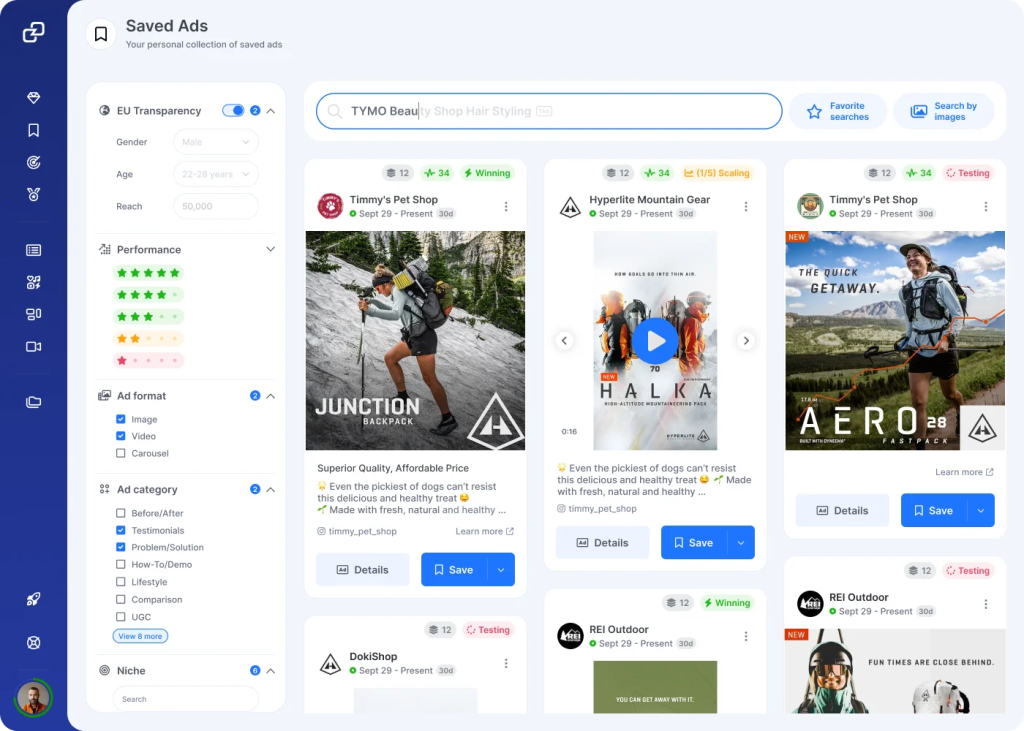
Instagram DPAs handle the personalization and delivery for you, but they cannot tell you which Instagram Dynamic Product Ads take the manual work out of building hundreds of ad variants by letting Meta personalize delivery for every shopper. The setup is simple, but the creative angles you feed those templates decide whether the campaign actually scales.
At GetHookd, we built our platform to fill that exact gap. With 65 million ads analyzed and Brand Spy revealing which creatives competitors are scaling on Meta, your DPA templates can start from proven winners instead of guesswork. If you want to see which competitor ads are working in your niche right now, start your free trial today.
Start your free GetHookd trial today.
Frequently Asked Questions (FAQs)
Are Instagram Dynamic Product Ads better for retargeting or prospecting?
Both. DPAs were originally a retargeting tool for shoppers who browsed your site, but Advantage+ Catalog Ads now use Meta’s AI to find new buyers based on similar behavior signals. Most strong accounts run separate ad sets for retargeting and broad prospecting in parallel.
What is the minimum product catalog size needed to run DPAs?
There is no hard minimum, but DPAs work best with 10 to 20 active products. With fewer items, Meta’s algorithm has limited room to personalize delivery, and you may get better results from standard single-image or carousel ads with manually chosen creative.
Why are my Instagram DPA ads not delivering in certain placements?
The most common reason is image quality. Meta automatically excludes products with images smaller than 600×600 pixels, without issuing an error notification. Check your catalog for low-resolution images, missing fields, or out-of-stock items, since any of these can quietly block delivery.
How long should I wait before optimizing a DPA campaign?
Give the campaign at least seven days, or roughly 50 conversion events, before making changes. Meta needs that volume to exit the learning phase. Editing audiences, budgets, or creative too early resets the algorithm and forces it to start gathering signal from scratch.
Why is GetHookd better than just browsing the Meta Ad Library directly?
The Meta Ad Library shows you every active ad but provides no signal on which ones are actually working. GetHookd analyzes 65 million ads with performance scoring, brand-level intelligence, landing page insights, and AI creative tools, so you spend minutes finding winners instead of hours scrolling.
*Note: Pricing and/or product availability mentioned in this post are subject to change. Please check our website for current pricing and stock information before making a purchase.