Key Takeaways
- GetHookd, Foreplay, Swipekit, and Atria are the four Facebook Ad Library Chrome extensions worth installing, and each adds a one-click save button inside Meta’s library.
- Foreplay’s extension saves ads from the Facebook Ad Library, plus TikTok, Instagram, LinkedIn, and YouTube Shorts, and stores ad copy and a landing page screenshot with every creative.
- Swipekit reaches six ad libraries, including Google and Pinterest, and its Brand Tracker automatically follows a brand’s Facebook ads once tracking is switched on.
- Atria saves Meta and TikTok ads into tagged boards, then transcribes video ads automatically and works the scripts behind them into new variations.
- GetHookd saves Meta ads permanently and starts Brand Spy tracking from the same ad card, and rebuilds those saved ads into new image variations and scripts.
How Facebook Ad Library Chrome Extensions Differ After the Save
GetHookd, Foreplay, Swipekit, and Atria are the 4 best Facebook Ad Library Chrome extensions, with GetHookd leading because saving, tracking, and creative production all start from the same ad card. The need for any of them comes from how Meta’s library works, since an ad can’t be recovered once the advertiser removes it. Creative rotates quickly on Meta, so short tests often disappear before a monthly check ever finds them.
Most buyers compare these tools on how many ad libraries they cover, but the bigger difference is what happens to an ad once it’s saved. A swipe file full of references still needs someone to turn them into testable creative. Reliability matters too, because extensions can break whenever Meta changes a page layout, and Chrome Web Store ratings from 4.2 to 5.0 show how well each one holds up.
GetHookd closes that gap for Meta advertisers by placing Brand Spy tracking beside the save button and rebuilding saved ads into image variations and scripts inside the same platform.

GetHookd: Turn Competitor Intelligence Into Your Next Winning Ad
GetHookd reveals which ads your competitors are actively scaling, not just running. Spy on their best-performing creatives, landing pages, and traffic strategies, then turn proven concepts into testable campaigns in seconds with AI-powered script generation and creative cloning.
What You Get:- ✓ Brand Spy to decode competitor ad strategies in real-time
- ✓ AI script generation and ad cloning for instant variations
- ✓ Performance scoring based on actual ad behavior, not vanity metrics
- ✓ Creative Analyzer to identify and scale your top performers
4 Best Chrome Extensions for Saving & Tracking Facebook Ads
1. GetHookd Extension: Best for Meta Advertisers Producing Creative Weekly
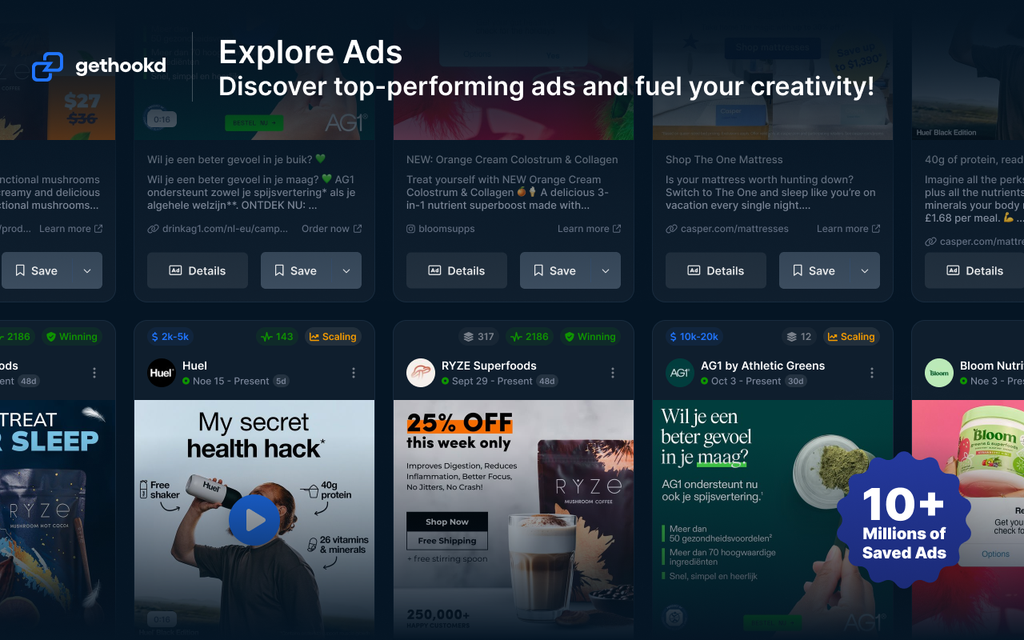
The GetHookd extension runs across the Meta Ad Library and was built for media buyers, agencies, and ecommerce operators who research competitor ads and then produce their own. Every ad card carries a Save to GetHookd button, and one click stores the creative in your swipe file or a chosen board, where it remains long after the advertiser pauses the campaign. Saving through the extension doesn’t use any of your account credits.
A second button sits on the same card and handles competitor monitoring. The Spy Brand button starts Brand Spy tracking for an advertiser directly from the Meta Ad Library, including from search results, so you can begin following a brand before ever opening its page. Tracking then surfaces that brand’s top ads, landing pages, and traffic sources inside the platform, which no other extension here starts from Meta’s own results page.
Teams testing creative on a weekly cycle gain the most from this setup because the saved ad doesn’t stop at storage. Inside GetHookd, the same creative feeds Clone Ads for fresh image variations, Ads Transcription for the script behind a video, and AI Video Scripts for new angles built on the original, all drawing on a library of more than 65 million ads across Meta and TikTok.
The extension holds a 5.0 rating on the Chrome Web Store across roughly 4,000 users. Reviewers praise it as a practical tool for creative benchmarking and fast ad research. On G2, where the broader GetHookd platform sits at 4.8, users also highlight how quickly research can turn into launchable creative variations.
2. Foreplay Ad Library Extension: Best for Agencies Briefing Creative Teams
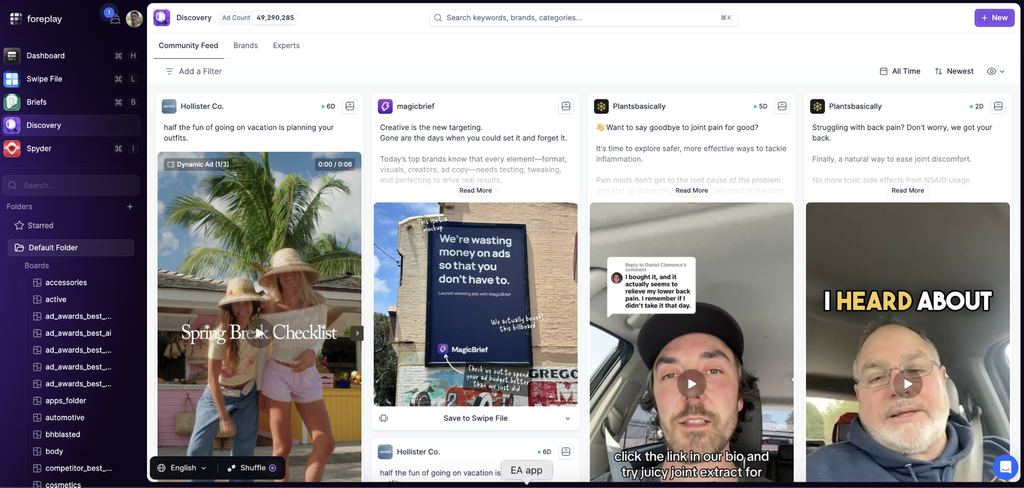
Foreplay’s extension serves creative strategists and agencies who build shared swipe files across several client accounts. Coverage spans the Facebook and Meta Ad Library, TikTok, Instagram, the LinkedIn Ad Library, and YouTube Shorts, and supports every ad type, including carousel and dynamic creative formats.
Saved ads arrive with their copy, a landing page screenshot, and the format attached, then sort into boards using tags and niche filters. Videos download as MP4 files, boards embed into Notion pages, and a share link opens a board for someone who has no Foreplay account, which suits agencies passing references to freelance editors.
Production inside Foreplay ends at the brief, so a saved ad becomes a document describing what to make instead of a finished creative. Teams that already employ designers absorb that step easily, while smaller operations end up carrying the work into another tool.
The extension carries a 4.9 rating on the Chrome Web Store with roughly 20,000 installs. Reviewers mainly praise its usefulness for building creative briefs. Criticism focuses on occasional upload errors and extension outages after platform updates, while G2 users also flag the cost.

3. Swipekit Ad Library Downloader: Best for Marketers Researching Several Networks
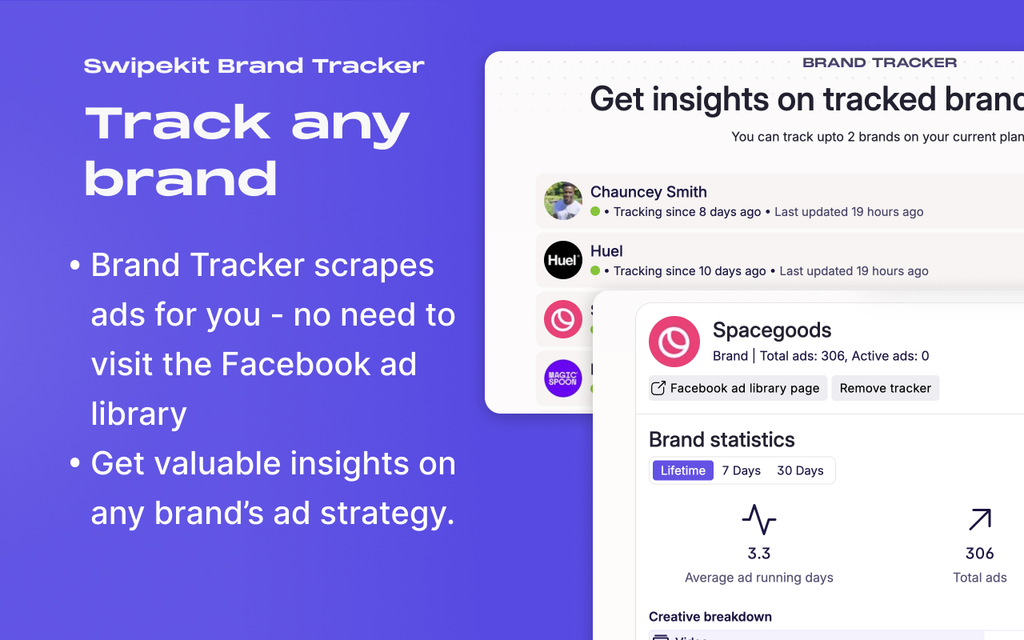
Swipekit targets solo marketers and smaller performance agencies that research beyond a single network. The listed sources cover the Facebook Ad Library, TikTok Creative Center, the TikTok Ad Library, the Google ad transparency page, the LinkedIn Ad Library, and the Pinterest Ad Library, and saved ads stay in the account permanently in shareable moodboards.
Brand Tracker is the distinguishing piece of the toolkit. Once switched on for an advertiser, it automatically collects that brand’s Facebook ads and builds a picture over time of the landing pages used, the wording that recurs in ad copy, and the mix of asset types behind the account.
The extension carries no creative production layer, so a saved ad stays a reference for whoever builds the next campaign. That keeps the tool light for research, and it means a research session’s output is a board instead of a testable creative.
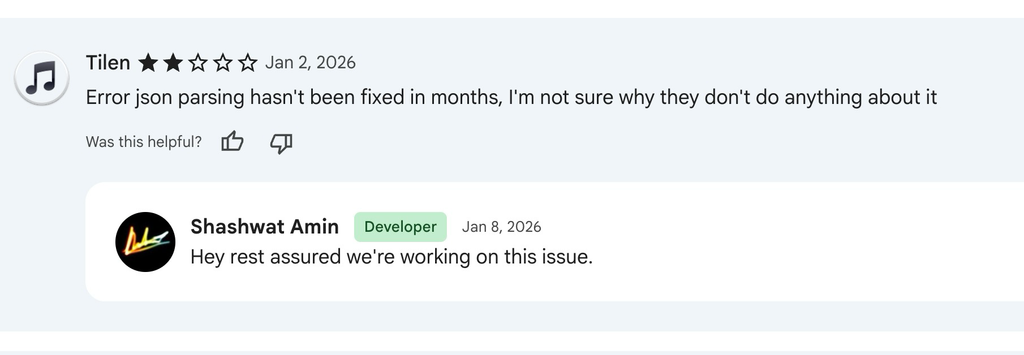
Swipekit’s extension holds a 4.2 rating on the Chrome Web Store across roughly 30,000 installs. Reviewers value the ad-download workflow, but criticism centers on reliability, including recurring save errors that some users say persisted for months. Developer replies indicate those issues were being worked on.
4. Atria Chrome: Best for Creative Teams Mining Scripts From Saved Ads
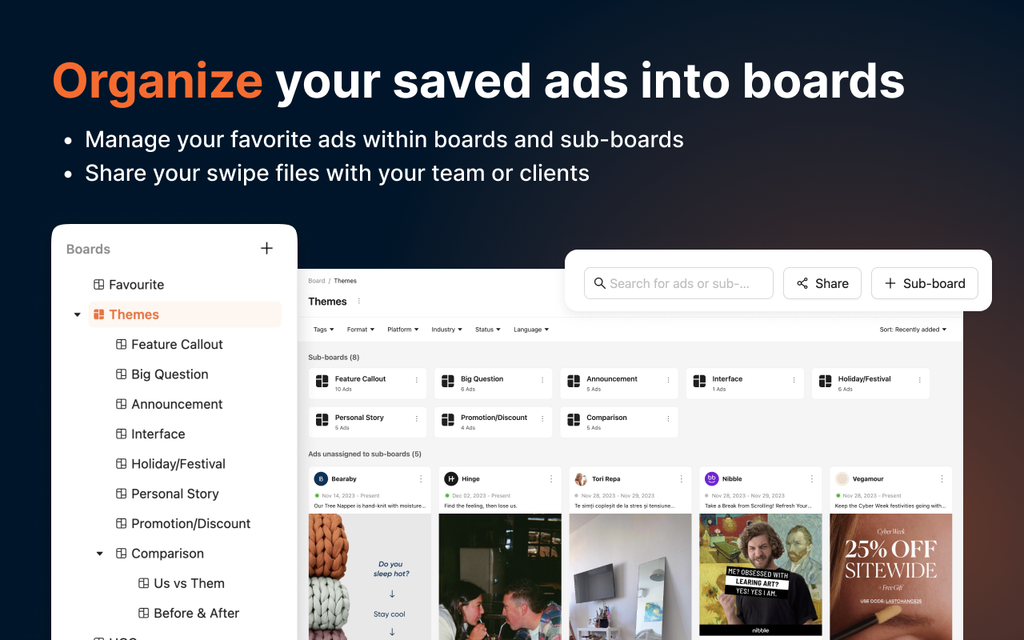
Atria’s extension targets performance marketers, creative strategists, and UGC specialists working across Meta and TikTok. A Save to Atria button appears on both ad libraries, and saved creatives move into cloud storage that keeps them available after an advertiser deletes the original, with boards, sub-boards, tags, and filters handling the sorting afterwards.
Transcription is where the extension does its distinctive work. Atria’s AI automatically pulls the spoken script and on-screen text from saved video ads, then analyzes the language behind competitor scripts and customer testimonials so teams can build new scripts on patterns that already converted, drawing on a platform library of more than 25 million Meta and TikTok ads.
One practical constraint comes straight from the setup instructions, since the extension requires ad blockers to be switched off on the pages you save from. Teams running privacy extensions by default will need to make an exception before the save button behaves.
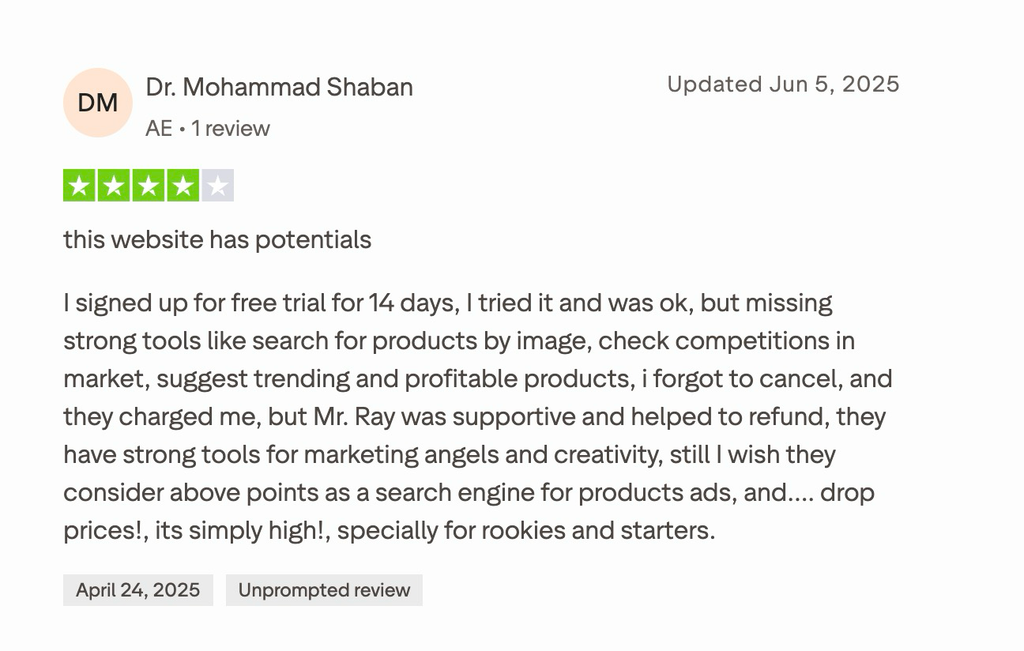
Atria’s extension holds a 4.6 rating on the Chrome Web Store with roughly 4,000 installs. Positive feedback highlights its research and creative workflow, while criticism focuses on missing product-research features, high pricing for beginners, and billing after forgotten trial cancellations. Some users nevertheless report responsive support and successful refunds after contacting the company.
Top 4 Facebook Ad Library Chrome Extensions: Summary Table
| Feature | GetHookd | Foreplay | Swipekit | Atria |
| Ad Libraries Covered | Meta & TikTok | Meta, TikTok, Instagram, LinkedIn, YouTube Shorts | Meta, TikTok, Google, LinkedIn, Pinterest | Meta, TikTok |
| Competitor Tracking | Brand Spy started from the Ad Library page | Spyder, inside the platform | Brand Tracker, automatic once enabled | Brand tracking inside the platform |
| Context Saved With The Ad | Creative, plus landing pages and traffic sources via Brand Spy | Ad copy, landing page screenshot, format | Creative, ad copy, advertiser context | Creative, transcript, tags |
| Creative Output | Image variations, transcripts, AI scripts | Creative briefs | None | AI scripts from transcribed ads |
| Chrome Web Store Rating | 5.0 | 4.9 | 4.2 | 4.6 |
| Best For | Meta advertisers producing creative weekly | Agencies briefing creative teams | Marketers researching several networks | Creative teams mining scripts from saved ads |
Turn Saved Facebook Ads Into Tested Creative With GetHookd
All four extensions save a competitor ad before it leaves the Facebook Ad Library, so the real choice depends on what you need next. Foreplay suits agencies writing briefs, Swipekit suits research across several networks, and Atria suits teams mining video scripts. The right fit is whichever one shortens the path from saved ad to live test.
GetHookd was built for Meta advertisers who produce creative every week. We put Brand Spy tracking beside the save button, then rebuild the ads you keep into image variations, transcripts, and AI scripts, drawing on more than 65 million analyzed ads. Install the GetHookd Chrome extension and turn your next research session into ads ready to test.
Frequently Asked Questions (FAQs)
Do you need technical skills to use a Facebook Ad Library Chrome extension?
None of these four requires any technical ability from the person installing them. You add the extension from the Chrome Web Store, pin it to your toolbar, and sign in to the connected account; then a save button appears on ad cards automatically. Setup takes a couple of minutes with no code or browser configuration involved.
Can a Chrome extension save ads that are no longer running?
Saved ads stay in your account after an advertiser pauses or deletes a campaign, because the extension stores its own copy of the creative. The limitation is timing: an ad must be visible in the library when you save it, and anything the advertiser has already removed can’t be recovered later.
How often should you save ads from the Facebook Ad Library?
A weekly pass through your niche suits most advertisers, as creative rotation on Meta moves quickly enough that monthly checks miss short tests entirely. Teams following specific competitors get better coverage from automatic brand monitoring, which collects new ads as they launch instead of depending on you to remember the routine.
Can GetHookd track a competitor’s brand from the Facebook Ad Library?
GetHookd places a Spy Brand button on every ad card, including inside search results, so you can start tracking an advertiser without visiting its page first. Once Brand Spy is running, it surfaces that brand’s top ads, landing pages, and traffic sources as their campaigns change.
*Note: Pricing and/or product availability mentioned in this post are subject to change. Please check our website for current pricing and stock information before making a purchase.