
Key Takeaways
- InVideo AI is worth it for e-commerce teams and agencies producing many ad variations, but it is a weaker fit for anyone needing fixed costs or minimal correction time per finished video.
- The platform generates video ads from a text brief, with AI actors, multitrack editing, multilingual voiceovers, and exports sized for Instagram, TikTok, Facebook, and YouTube.
- Plans start at $20 per seat per month for 400 credits, rising to $150 per seat per month for 5,000 credits, with annual billing halving each price.
- InVideo AI holds a 2.9/5 rating on Trustpilot. Users praise the speed and accessibility for non-editors, but the most common complaint is unpredictable credit consumption, where fixes and regenerations push the real cost above the subscription price.
- GetHookd shows which hooks and angles competitors are already scaling, so every video brief starts from proven creative instead of a guess.
Is InVideo AI Worth It for Your Team?
InVideo AI earns its place on a shortlist for teams producing many ad variations and comfortable reviewing AI output before it goes live, such as e-commerce teams testing product angles, marketers comparing hooks and offers, or agencies juggling creative across several client brands. It is a weaker fit for anyone needing a fixed cost per finished ad, minimal correction time, or guaranteed delivery under a tight deadline.
The most reliable way to judge fit is to run one representative ad project with real assets and the expected revision process, then track exactly how many credits, how much time, and how many usable outputs that project consumes before committing to an annual plan.
We built GetHookd to cut wasted credits before you spend any, by building creative around ad concepts competitors are already scaling instead of leaving them to trial and error.
GetHookd: Give Your AI
22 Million Live Meta Ads

Your AI cannot see Meta's ad library. Now it can. Connect GetHookd to Claude, ChatGPT, Gemini, Cursor or Perplexity in about 30 seconds, no code needed. Ask in plain English what your market is running and get back the live Facebook and Instagram ads. Every answer comes back with the source ad attached, so you can check it yourself.
What You Get:- Brand Spy: Get told every time a competitor launches, with the launch date and how many ads they have live
- Shops: Open any Shopify store to see its monthly visitors, best sellers, and every Meta ad it runs
- Clone Ads: Turn any winning ad into new statics built off a creative already running in your market
Prefer clicking? Search and filter the library yourself in the app, on any plan.
Start a 7-Day Trial for $0InVideo AI Features
Brief-to-Video Ad Generation
Users describe the product, desired duration, style, target audience, and required scenes in plain language, then attach assets like product images, footage, logos, and brand colors. The agent uses those materials to draft a script, select visuals, generate a voiceover, add music, and layer in captions, producing a first draft without manual asset hunting.
Brand Context & Reusable Project Memory
The performance-ad workflow stores brand and product details directly in project context, including the website, product specifics, selling points, brand guidelines, audience personas, and previously successful ads. The platform preserves exact product details such as packaging, labels, and size across a project, so repeat generations do not quietly alter what the product actually looks like.
AI Actors & UGC-Style Content
InVideo’s AI actors handle unboxings, testimonial-style scripts, and direct-to-camera presentations, and you can reuse the same actor across multiple campaigns while keeping a consistent appearance and voice. That consistency matters for brands running always-on UGC-style ads, where viewers expect to recognize the same presenter across a series rather than a new face every time.
Multitrack Editing
Every generated ad lands on an editable multitrack timeline rather than a locked export. From there, users can ask the agent to trim a section, reorder shots, or swap a line, or make the same changes manually using the built-in timeline, color, audio, and 3D tools.
InVideo also offers real-time multiplayer editing, storyboarding and scriptwriting support, plus custom agents built for specific roles like cinematography, sound design, and music design, letting a team split a single project across several specialists at once.
Voiceover Direction & Localization
InVideo advertises control over voice delivery down to pace, emphasis, and pauses, rather than a single flat text-to-speech read. That level of control is aimed at ads where timing against an on-screen hook or call to action actually matters.
The platform also supports multilingual ad versions with localized accents and matching lip sync, letting a single brief adapt to several language markets without re-shooting footage or re-recording a presenter from scratch.
Platform-Specific Export Formats
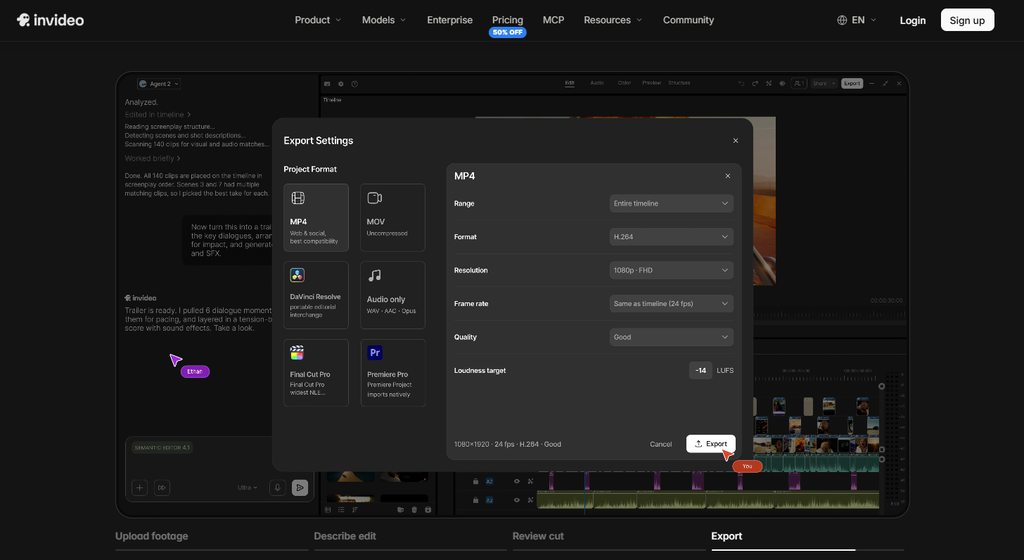
The ad maker exports in 9:16, 1:1, and 16:9, covering vertical, square, and widescreen placements for channels like Instagram, Facebook, TikTok, and YouTube without a separate re-edit for each platform.
InVideo states that ads produced on the platform are licensed for commercial use, which covers paid social advertising, monetized video, and client work, a detail worth confirming before using outputs in a client-facing campaign.
InVideo AI Pricing Plans
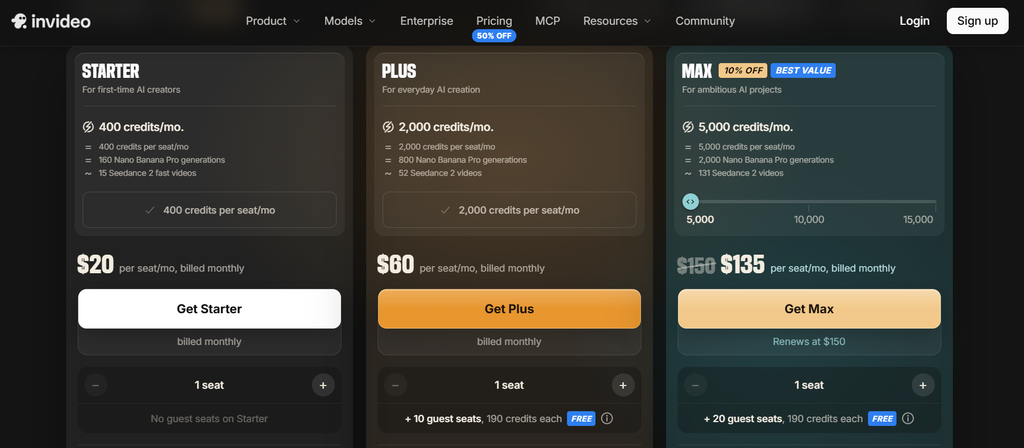
InVideo AI offers three core paid tiers: Starter, Plus, and Max, each priced per seat and billed either monthly or annually. InVideo advertises a 50% discount for annual billing across all three tiers, which roughly halves the effective monthly rate compared to paying month to month.
Every plan runs on a credit system rather than a flat cap on video count. Different generation models draw down credits at different rates, unused credits do not roll over month to month, and InVideo reserves the right to change credit costs without prior notice.
Starter Plan
Starter costs $20 per seat monthly, or $10 per seat monthly when billed annually. It includes 400 credits per seat each month, 200 GB of storage, and an allowance of 100 premium stock footage clips.
Multiplayer editing is capped at five seats, and agent access is limited to Agent Two Lite, with model access restricted to a selected set that includes Seedance 2.0 Fast and Mini but excludes Seedance 2.5 and full Seedance 2.0 access. The timeline editor and color, audio, and 3D tools are included at this tier.
Plus Plan
Plus jumps to $60 per seat monthly, or $30 per seat monthly billed annually. Credits increase to 2,000 per seat monthly, storage rises to 600 GB, and the premium stock footage allowance doubles to 200 clips.
Multiplayer editing expands to 10 seats, with an additional 10 guest seats carrying 190 credits each. Plus adds Agent Two Pro and Ultra on top of Lite, along with Seedance 2.5 at 1080p and Seedance 2.0 at 4K, plus early access to newer AI features.
Max Plan
Max lists at $150 per seat monthly, currently discounted to $135, or $75 per seat monthly billed annually. Base credits rise to 5,000 per seat each month, storage reaches 2,000 GB, and the premium stock footage allowance climbs to 500 clips. Multiplayer editing supports up to 20 seats, with 20 guest seats also carrying 190 credits each, and the same full agent access as Plus, covering Agent Two Lite, Pro, and Ultra.
Enterprise & Free Plan Options
InVideo’s Enterprise option is built around single sign-on, SOC 2 compliance, and indemnification, but it does not publish a fixed subscription price for this tier. Separately, InVideo provides a limited free plan offering two video minutes per week, one AI credit, one Express avatar, and four exports per week.
What Do Users Say About InVideo AI?
Positive Feedback
As of November 2026, InVideo AI holds a 2.9 out of 5 rating on Trustpilot across 916 reviews.
Users without an editing background appreciate being able to start producing video without first learning a traditional timeline tool. Several reviewers describe faster turnaround on social videos, short promotions, and other repeatable content formats, and appreciate having generated visuals, voiceovers, and multiple video styles available in a single workspace instead of stitching together separate tools.
Translation and AI-presenter workflows draw specific praise from some users, and several reviewers also mention responsive support, describing patient troubleshooting and satisfactory resolutions when account or project issues came up.
Negative Feedback
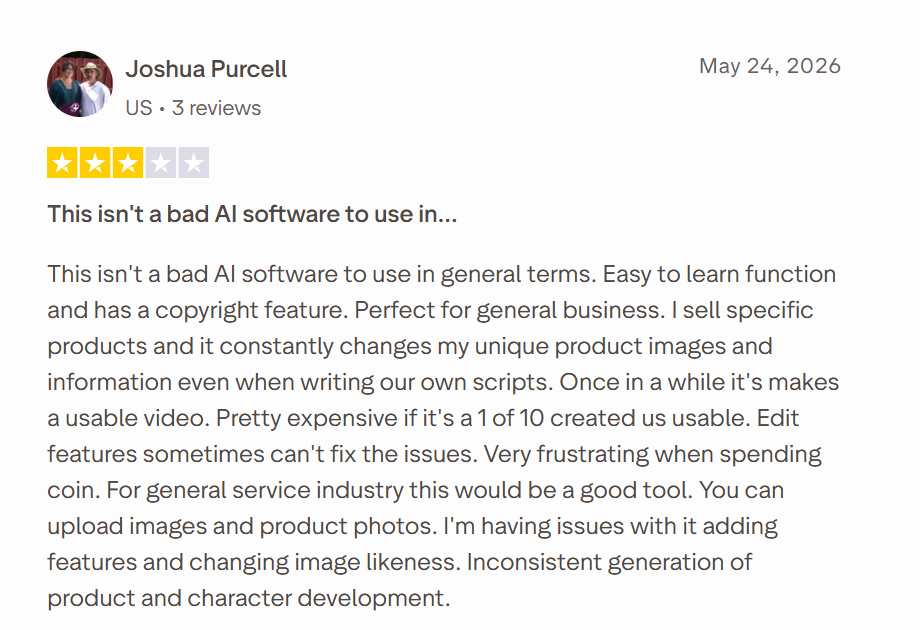
The most consistent complaint across reviews is unpredictable credit consumption, with users reporting they couldn’t reliably estimate how much a project would cost before starting, then running out of credits before reaching a usable final video. Fixing problems like inaccurate scenes, synchronization issues, or unwanted output often requires additional paid generation, which pushes the real cost of a finished ad above what the subscription price alone suggests.
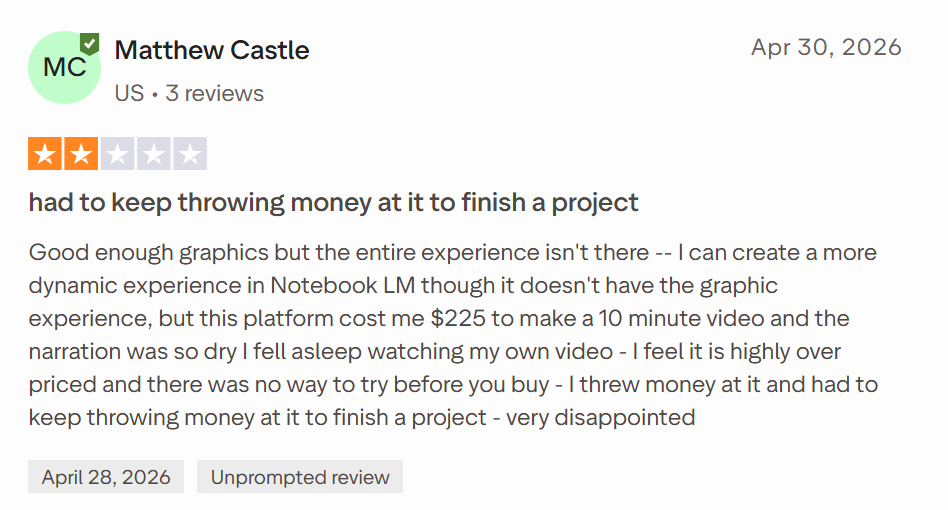
Other recurring issues include mismatched imagery, poor handling of uploaded assets, missing audio or visuals, repetitive content, long rendering waits, editor lag, and confusing workflows for locating or managing finished outputs.
Refund experiences are another sore point, with some reviewers expressing dissatisfaction over how refund eligibility interacts with credits already spent testing the product. Documentary-style, analytical, or tightly scripted narrative projects also draw more criticism, with complaints centered on narration quality, overall coherence, and the level of editorial control available.
Build Video Ads on Proven Angles With GetHookd
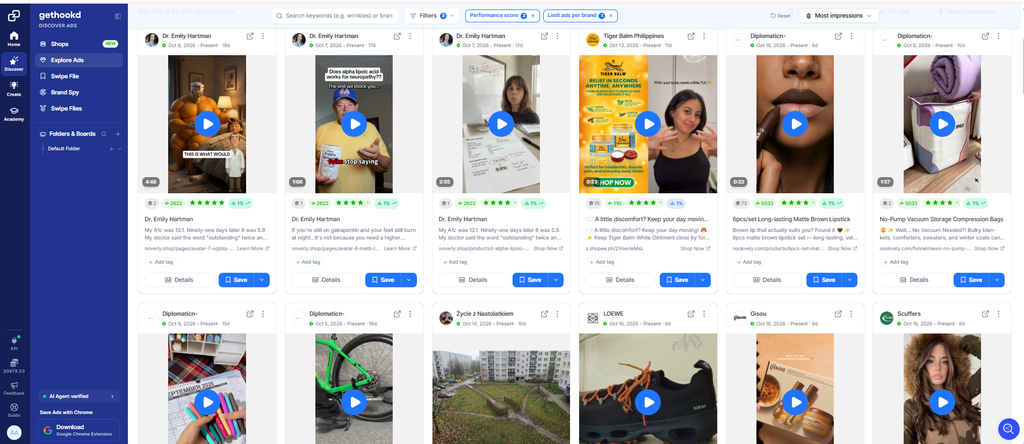
InVideo AI gives you a wide range of models, avatars, and editing tools, but every video still starts with a prompt you write. The output can only be as persuasive as the angle behind it. When that angle is a guess, you pay for it in credits and ad spend on concepts that never convert.
With GetHookd, we show you which hooks and angles competitors keep running, and for how long, before you write a single prompt. Search 22M+ live Meta ads, updated daily, then let our Video Scripts tool write a script for your product inspired by a winning ad. Start your 7-day trial for $0 and give your next video ad a proven foundation.
Frequently Asked Questions (FAQs)
Which AI video generator is most cost-effective?
The most cost-effective AI video generator is the one that produces usable ads with the fewest regenerations. Cost per finished ad matters more than the monthly price, especially since premium models use far more credits per clip. Starting from a proven angle with a tool like GetHookd cuts wasted generations, lowering that cost on any video generator.
Can InVideo AI make ads in multiple languages?
Yes. InVideo AI supports multilingual ad versions with localized accents and matching lip sync, letting a single brief get adapted across language markets without re-shooting footage or re-recording a presenter from scratch.
Which AI video generator is best for ads?
The best AI video generator for ads is the one that turns a strong angle into usable variations quickly. InVideo AI has workflows for product ads, launches, and UGC-style AI-actor ads, which suit teams generating many concepts, but every output still depends on the brief you give it. We built GetHookd’s Video Scripts and Clone Ads to start from ads already running in your market, so the brief is grounded before you generate anything.
Is there anything better than InVideo AI?
For performance marketers, the stronger choice depends on what’s holding results back. InVideo AI helps teams produce videos quickly, but it relies on the user to supply the angle and script. GetHookd handles that: we show you which Meta ads competitors are scaling and write product-specific scripts inspired by proven ads, so every video starts with a stronger brief.
What does GetHookd do differently from InVideo AI?
InVideo AI focuses on producing videos, while GetHookd centers on competitor intelligence and ad creation backed by market evidence. Our Brand Spy tracks a competitor’s top ads and landing pages, and Ads Transcription pulls the copy from any video you want to study. From there, features like Clone Ads, ad templates, and Video Scripts help you build new creatives on concepts that are already working.
*Note: Pricing and/or product availability mentioned in this post are subject to change. Please check our website for current pricing and stock information before making a purchase.