Key Takeaways
- The two main ways to download Instagram ads are dedicated downloader tools (like GetHookd, 4K Stogram, and SnapInsta) and screen recording, with the right method depending on whether you need original file quality or just a quick save.
- Screen recording is the fastest way to capture ads in the wild, but it grabs compressed playback rather than the original file, which is fine for inspiration but not for high-resolution research.
- 4K Stogram and SnapInsta each cover a narrow download use case; passive bulk archiving of full accounts and one-off URL saves, respectively, but neither connects downloads to creative production.
- GetHookd lets you download Instagram ads to your device or save them to a structured swipe file, with AI creative tools like Clone Ads, Video Scripts, and Ads Transcription to generate your own variations in minutes.
How to Download Ads from Instagram: What You Should Know
Instagram ads do not stick around. Story ads vanish within 24 hours, and feed ads disappear from Meta’s Ad Library the moment a brand pauses the campaign, so saving the ones worth studying has to happen in the moment. The three best tools for the job are GetHookd, 4K Stogram, and SnapInsta, with screen recording as a backup for ads you catch in your feed.
The tools split cleanly by use case. SnapInsta handles one-off URL saves in your browser, 4K Stogram passively archives full competitor accounts to your desktop, and GetHookd indexes 65M+ Meta ads with run-duration filters, structured swipe files, and AI tools that turn a saved ad into testable variations in minutes.
Below is a breakdown of when to use each method, followed by a side-by-side review of the three tools, so you can pick the right one for your workflow.

GetHookd: Turn Competitor Intelligence Into Your Next Winning Ad
GetHookd reveals which ads your competitors are actively scaling—not just running. Spy on their best-performing creatives, landing pages, and traffic strategies, then turn proven concepts into testable campaigns in seconds with AI-powered script generation and creative cloning.
What You Get:- ✓ Brand Spy to decode competitor ad strategies in real-time
- ✓ AI script generation and ad cloning for instant variations
- ✓ Performance scoring based on actual ad behavior, not vanity metrics
- ✓ Creative Analyzer to identify and scale your top performers
What’s the Best Way to Download Ads from Instagram?
Method 1: Use a Dedicated Instagram Ad Downloader Tool
For anything beyond a one-off save, a dedicated tool is the right move. These platforms either pull from Meta’s public ad inventory or process post URLs you paste in, then deliver the creative as a clean file you can save and organize.
Method 2: Screen Recording
Sometimes the perfect ad appears in your Instagram feed, and you do not have time to hunt it down anywhere else. Screen recording is your fastest option here. It is instant, it works on every ad format, including Stories and Reels, and it requires zero extra tools.
On iPhone:
- Swipe down from the top-right corner to open Control Center
- Tap the Screen Recording button (the circle-within-a-circle icon). A 3-second countdown starts
- Swipe up to close Control Center and return to Instagram
- Play the ad from the beginning
- Once it finishes, swipe down and tap the red recording bar at the top of your screen, then tap “Stop”
- The recording saves automatically to your Photos app.
On Android:
- Swipe down from the top of the screen to open Quick Settings
- Tap Screen Recorder (you may need to add it to your Quick Settings panel first)
- Return to Instagram and play the ad
- When it finishes, swipe down again and tap the Screen Recorder notification to stop
- The video saves to your gallery.
The downside is quality. You are capturing compressed playback, not the original file. For personal reference or quick inspiration, this is fine.
For high-resolution assets you plan to study or use as creative reference, stick to the tools below.
3 Best Tools to Save Instagram Creatives
1. GetHookd
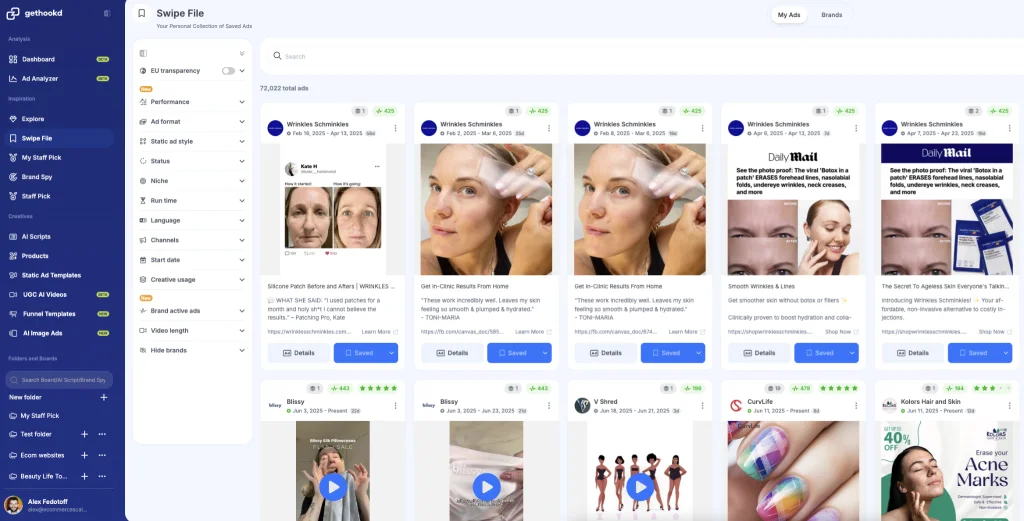
GetHookd is built for marketers who want to do more than save a video file. We are a creative intelligence platform that lets you discover, download, and organize top-performing Instagram ads alongside the rest of the Meta ecosystem, all in one workspace.
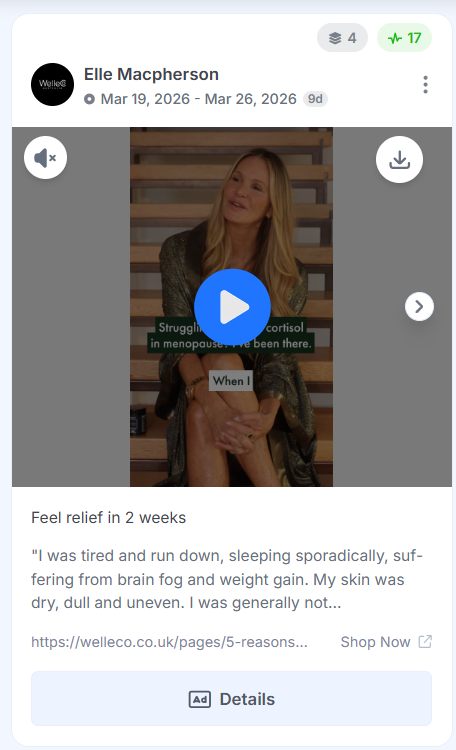
Once you find an ad that catches your attention, you can download the full video file directly to your device, save it to a permanent swipe file inside the platform, or both. Every saved ad remains accessible even after the original campaign is paused, with performance signals such as run duration, engagement, and country coverage attached.
What sets GetHookd apart is the layer of insight it adds to the creative itself. We provide tools like Ads Transcription and Video Scripts, which let you generate hooks and angles for your ad.
Our Clone Ads tool spins one creative into dozens of variations. For media buyers, creative strategists, and brand teams running ads at any serious volume, this is the kind of workspace that changes how you approach creative development entirely.
2. 4K Stogram
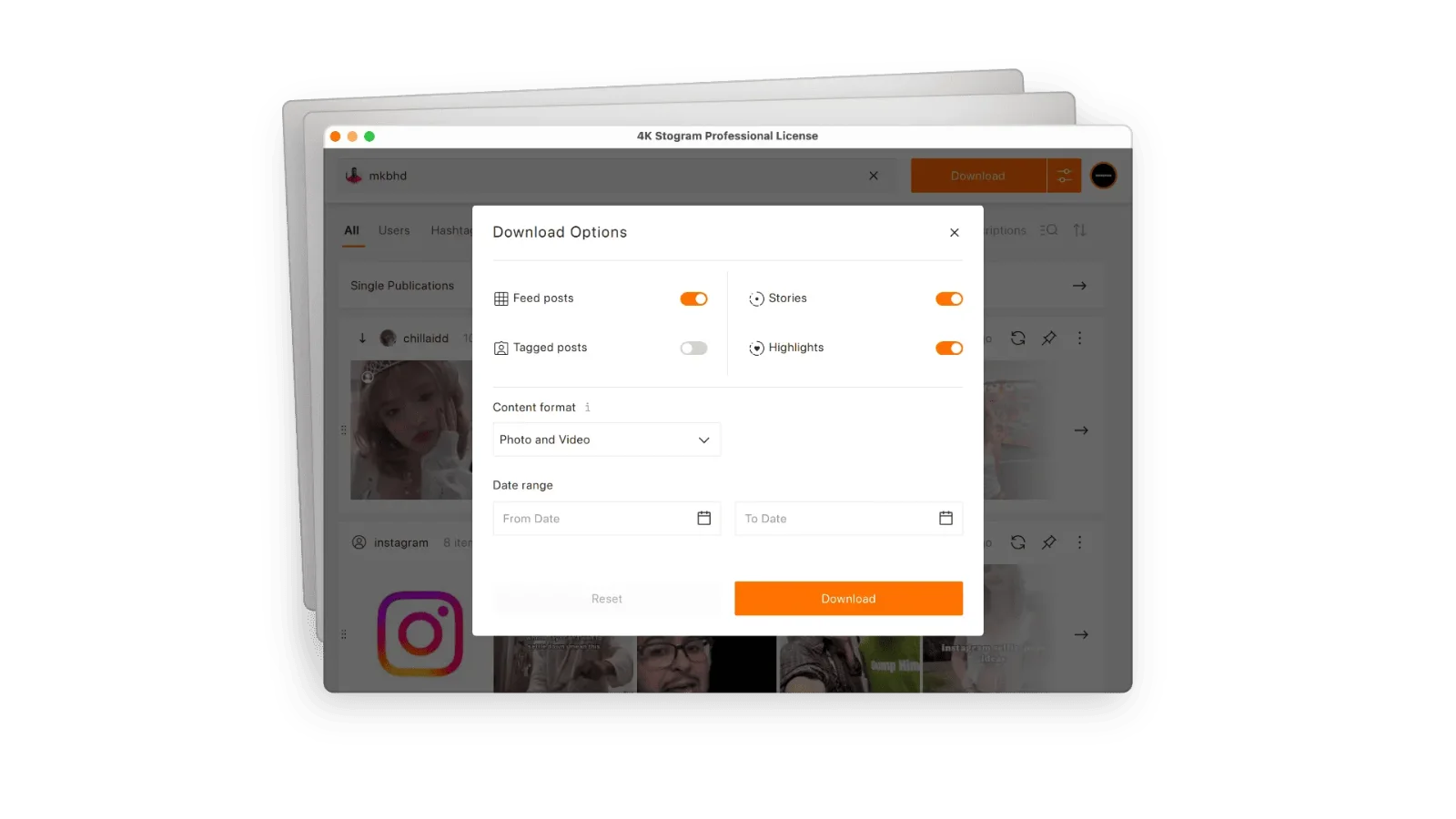
4K Stogram is a desktop application for Windows, macOS, and Linux that lets you subscribe to Instagram accounts and automatically download their content as new posts go live. The use case is passive archiving, where you set a competitor’s account and let creatives accumulate in your local folder over time.
The trade-off is scope. 4K Stogram only downloads and archives. There is no way to organize what you save by brand, offer, or format. It also requires a desktop install, which limits portability compared to web-based options.
3. SnapInsta
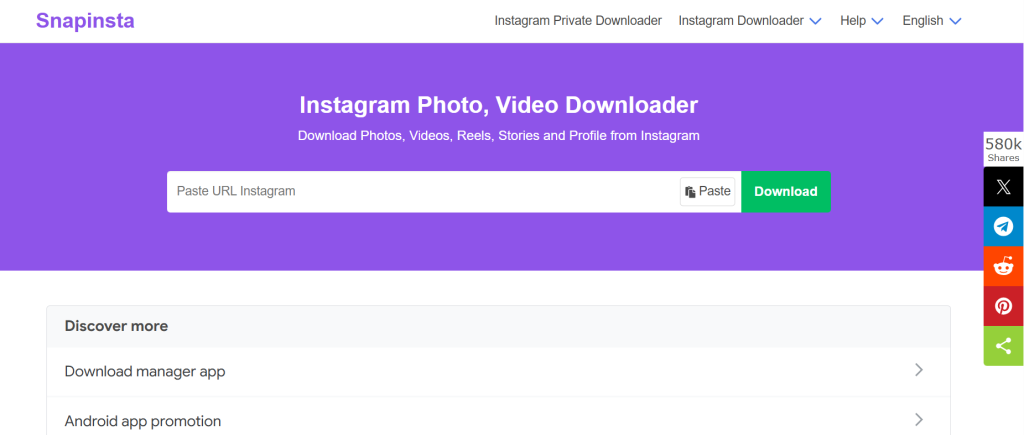
SnapInsta is a free, web-based Instagram downloader. There is no app to install and no account required.
You paste a post URL, click download, and the file delivers in seconds, with resolutions up to 4K. It supports Reels, carousel posts, Stories, and standard video ads.
SnapInsta only handles file grabbing. For a single-ad URL save, this tool covers the basics. But for anything resembling structured research, you will need to pair it with a proper creative workspace.
Quick Comparison: 3 Best Tools to Save Instagram Creatives
| Tool | Save & Download | Swipe File | AI Creative Tools | Best For |
| GetHookd | Yes, download to device or save to platform | Yes, structured and searchable | Yes (Clone Ads, Video Scripts, Ads Transcription) | Marketers who want research and creative production in one workspace |
| 4K Stogram | Yes, automatic downloads via account subscriptions | No | No | Passive bulk archiving of entire competitor accounts |
| SnapInsta | Yes, paste URL to download | No | No | One-off URL saves of individual Instagram ads |
Build Your Ad Swipe File & Start Winning With GetHookd
The real value in downloading Instagram ads comes from what you do with them next. A curated collection of ads that caught your attention for a specific reason is one of the most underrated assets in a marketer’s toolkit. GetHookd makes it easy to curate a swipe file and even faster to act on them.
Every ad you save sits inside a structured library you can search, tag, and organize by performance, niche, or format, so the creatives you come back to are the ones already proven to convert. From there, our AI tools let you recreate any winning structure in minutes rather than weeks. Brands using us to model what is already converting in their niche reduce wasted ad spend and scale profitably.
Start your 7-day GetHookd free trial today.
Frequently Asked Questions (FAQs)
Is it legal to download Instagram ads?
Downloading Instagram ads for personal reference, competitive research, and creative inspiration is widely practiced across the marketing industry and carries essentially no legal risk when used for research purposes. Just keep saved creatives in your private research library and treat them as inspiration only. Reproducing or republishing them as your own crosses into copyright infringement, which is where most legal trouble starts.
Can you download Instagram Story ads?
Yes, but Story ads disappear within 24 hours, so timing matters. Screen recording is the most reliable method for capturing them the moment you see one in your feed. Some third-party tools also support Story downloads if you can grab the direct URL, but pulling that URL from an active Story is less straightforward than from a standard feed post, which makes a quick screen recording the safer bet.
Why can’t I find a specific ad in the Meta Ad Library?
The ad may have been paused before you searched, since the library only shows currently active commercial ads. The brand may also be running it in a specific country or to a narrow audience that does not surface in a general search. Try filtering by country or searching the exact brand name rather than a keyword.
Can you download Instagram ads without an account?
Yes. With GetHookd, you can search 65M+ Meta ads, including Instagram ads, then download the file directly to your device or save it to a permanent swipe file inside the platform. The research and download workflow runs in your browser without ever requiring you to log in to Instagram or Facebook.
*Note: Pricing and/or product availability mentioned in this post are subject to change. Please check our website for current pricing and stock information before making a purchase.