Key Takeaways
- A Facebook keyword is not something you bid on like in Google Ads. It is either an interest you target in Ads Manager, a word in your ad copy, or a search term you type into the Ad Library to pull up competitor ads.
- A useful keywords list groups all three by job: targeting terms tell the algorithm who to reach, copy keywords decide who stops scrolling, and Ad Library terms show what competitors already run.
- Advantage+ Audience is now the default in 2026, so interest terms act as suggestions the algorithm can look past rather than hard filters. Meta has also merged many narrow interests into broader groups.
- Interest terms come from the detailed targeting box in Ads Manager. Copy and competitor terms come from searching a niche or rival page in the free Ad Library and noting the phrases that keep showing up.
- GetHookd speeds this up by ranking over 65 million Meta ads by real scaling signals. Brand Spy shows which competitor ads and landing pages are getting budget, so your keyword list starts from what’s already working.
What Counts as a Keyword on Facebook
A keyword on Facebook is one of three things: an interest you target in Ads Manager, a word in your ad copy, or a search term you type into the Ad Library to find competitor ads. There is no keyword auction like Google’s, which is why the research looks different too. Instead of bidding on phrases, you are choosing the right interests to reach people and the right words to make them stop scrolling.
This research process matters more in 2026 because Advantage+ Audience now loosens the targeting you set, which means the words in your copy and creative carry more weight than they used to. Getting your keyword list right across all three types is what keeps the algorithm pointed at buyers instead of browsers.
GetHookd cuts the research time by showing which competitor ads have real budget behind them, so your list starts from copy that is already converting rather than a library that treats every active ad the same.

GetHookd: Turn Competitor Intelligence Into Your Next Winning Ad
GetHookd reveals which ads your competitors are actively scaling—not just running. Spy on their best-performing creatives, landing pages, and traffic strategies, then turn proven concepts into testable campaigns in seconds with AI-powered script generation and creative cloning.
What You Get:- ✓ Brand Spy to decode competitor ad strategies in real-time
- ✓ AI script generation and ad cloning for instant variations
- ✓ Performance scoring based on actual ad behavior, not vanity metrics
- ✓ Creative Analyzer to identify and scale your top performers
The Three Types of Facebook Ads Keywords
1. Interest & Behavior Targeting Terms
These are the topics you type into the detailed targeting box in Ads Manager. Meta builds them from the pages people follow, the content they interact with, and what they do on Facebook and Instagram. Interests include hobbies and brand preferences, behaviors track actions like recent shopping, and demographics cover things like job title and life events.
Meta removed detailed-targeting exclusions in 2025 and merged many narrow interests into broader groups earlier this year, so some options you used before may no longer exist. Behavior terms like Engaged Shoppers, people who recently tapped a Shop Now button, still work well for tightening a broad audience without shrinking your reach too much.
2. Keywords in Your Ad Copy
These are the actual words in your headline, primary text, and call to action. They do not trigger delivery the way search keywords do, but they decide who stops scrolling and who clicks. A posture brand that leads with “back pain” and “desk job” speaks to intent more clearly than one that only says “posture corrector.”
Meta reads your copy and creative as signals too. Clear, category-relevant wording helps the system match your ad to the right people, which is one reason creative now carries more weight than manual targeting.
3. Facebook Ad Library Search Terms
These are the terms you type into the free Facebook Ad Library to see what other advertisers run. You can search by brand name, product, or a plain keyword, and Meta returns active ads that match your search. This is the closest Facebook gets to keyword research, and it is where most competitor work happens.
Search a niche term, and you see how rivals phrase their hooks and offers. That shows which words and angles already have money behind them, so you test from evidence instead of a hunch. Ad age is a useful free signal: one running for weeks or months is usually profitable, since advertisers rarely keep paying for copy that fails.

Examples of Facebook Ad Keywords List to Start From
Use the list below as a starting point for your business. Treat every bracketed term as a slot to fill with your own product, city, or category. A list only performs once it matches the exact language your buyers use.
| Niche | Interest & behavior targeting terms | Copy & Ad Library search terms |
| Ecommerce / DTC | Engaged Shoppers, online shopping, [product category] | free shipping, limited time, [product] before and after |
| Fitness | fitness, home workout, gym membership | lose belly fat, 30 day challenge, at home |
| Skincare/beauty | skincare, cosmetics, beauty | real results, no filter, sensitive skin |
| B2B / SaaS | small business owners, Facebook Page admins, business software | book a demo, save hours, for teams |
| Local services | local business, [city] + service, homeowners | near me, same day, free quote |
How to Find Facebook Ads Keywords
If the keyword list above is too generic for you, you can build a list by hand in Meta Ads Manager and the free Ad Library, or move faster with GetHookd. Here is how to use each method.
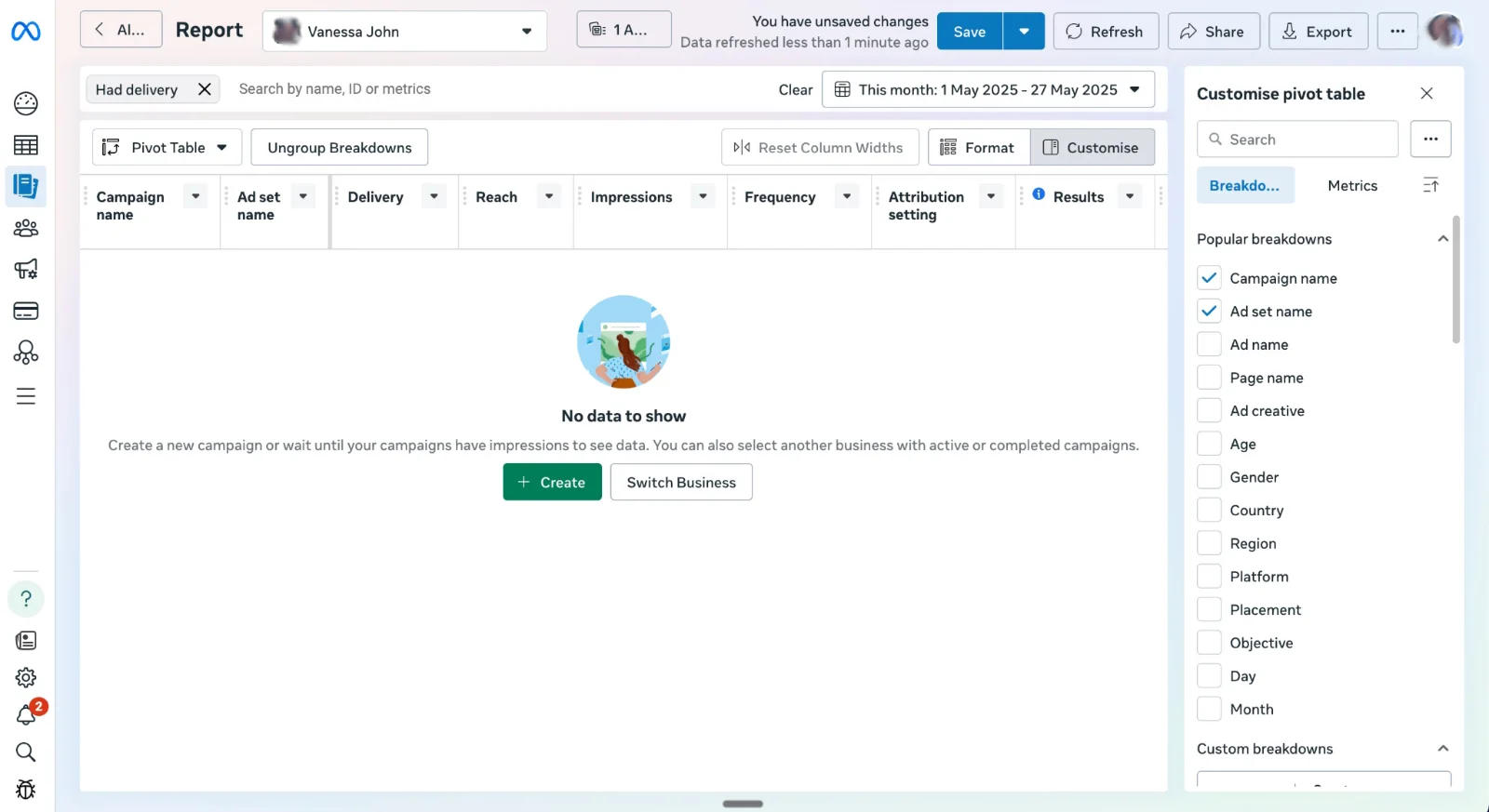
Find Interest Keywords in Meta Ads Manager
- Open Ads Manager and create or edit an ad set.
- Scroll to the detailed targeting section and type a word that describes your buyer or product, like “skincare” or “hiking.”
- Meta will show a list of related interests with audience sizes. These are your keywords. Save the ones that fit your buyer.
- Try different words. Typing “running” might show options that “fitness” did not, so test a few variations to build a fuller list.
- Keep your total audience between two and ten million so the algorithm has enough people to work with.
Find Ad Copy Keywords in the Facebook Ad Library
- Go to the Facebook Ad Library at facebook.com/ads/library. No login is needed.
- Set your country, then leave the category to All ads.
- Type a niche keyword, a product, or a competitor’s page name in the search bar.
- Use quotation marks for an exact phrase, such as “free trial,” and the pipe symbol for either-or searches, such as nike|adidas.
- Filter by platform, media type, and date, then sort by start date to spot long-running ads that are likely profitable.
- Note the repeated hooks, offers, and phrases. Those repeated words are your copy keywords.
Find Keywords Faster With GetHookd
The two methods above work, but running them by hand takes time, and the Ad Library will not tell you which ads actually perform. We built GetHookd to move from keyword research to production in minutes. Just follow the steps below:
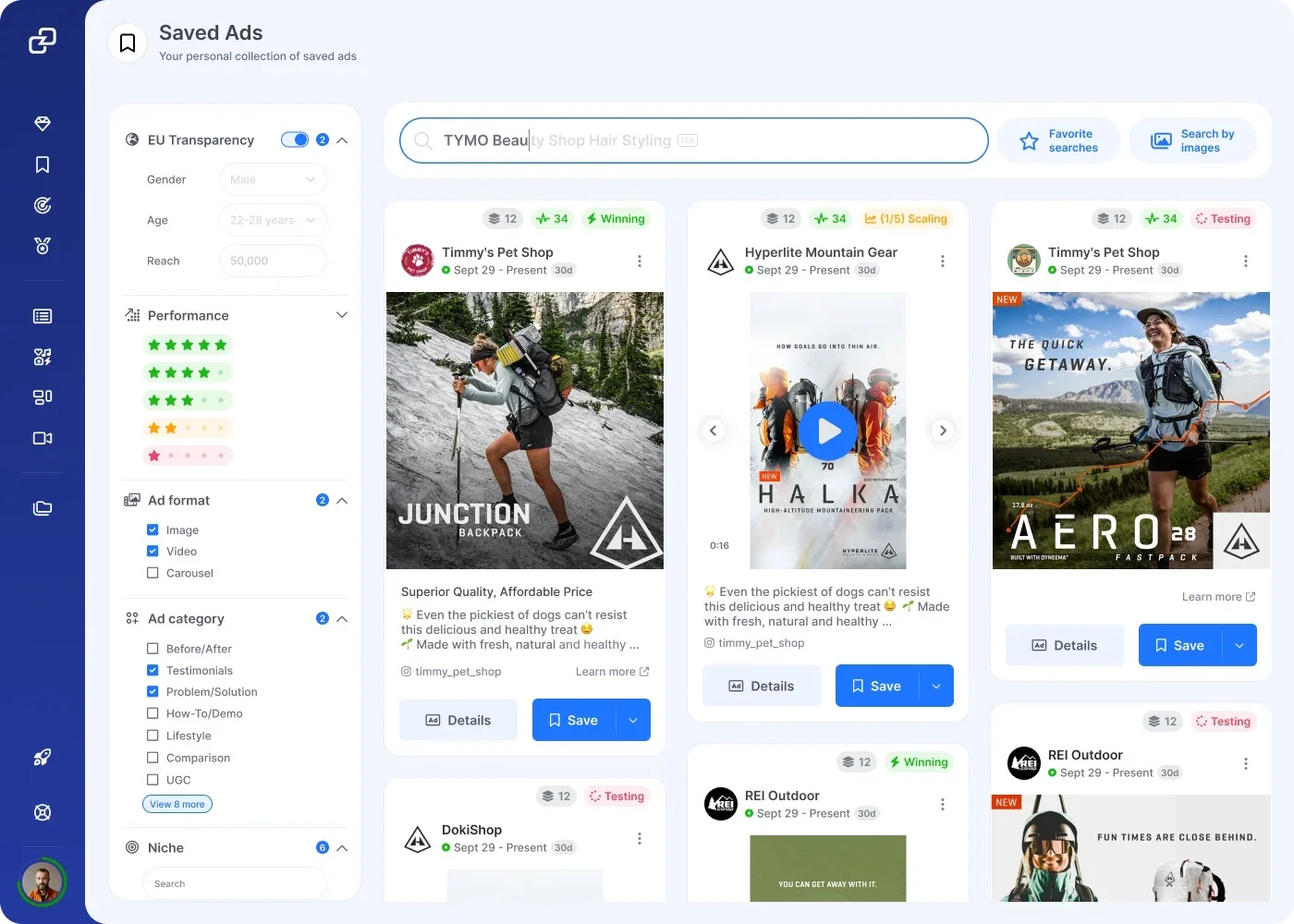
- Open GetHookd and search your niche or a competitor’s brand across our database of over 65 million Meta ads.
- Open Brand Spy to see which of their ads are actively scaling, not just running, along with their landing pages and traffic sources.
- Save the winning ads to your swipe file. They stay saved even if the original goes offline.
- Use the Creative Analyzer to break a winning ad into its hook, angle, format, and wording. These are the keywords worth building from.
- Pick a saved ad, send it to our script tool, and generate fresh hooks and copy variations you can test the same day. Or use Clone Ads to turn a top-performing image into dozens of new variations.
Build Your Facebook Keyword List Faster With GetHookd
Facebook keywords are not bids. They are the interest terms, ad copy words, and Ad Library searches that point your ads toward the right people. The strongest lists come from studying what already works, not guessing at what might.
GetHookd makes that research process seamless. The platform shows you what competitors are actually scaling, breaks those ads into reusable hooks and angles, and lets you turn them into fresh copy and creative variations on the spot. Start building your keyword list from proven winners with a free GetHookd trial.
Frequently Asked Questions (FAQs)
Do Facebook ads use keywords like Google Ads?
No. Facebook has no keyword auction, so you do not bid on search terms. Instead, you pick interests, behaviors, and demographics to define an audience, and you choose the words in your ad copy. The closest match to keyword research is searching the Facebook Ad Library to see how others word their ads.
How do I find interest keywords for Facebook ads?
Open the detailed targeting box in Meta Ads Manager and type a topic your buyer cares about, such as hiking or skincare. Meta suggests matching interests and shows each one’s audience size. Add the ones that fit, and try related words, since search surfaces options the dropdown menus hide.
Is the Facebook Ad Library free to search by keyword?
Yes. The Facebook Ad Library is free and needs no login. Go to facebook.com/ads/library, set your country, and type a keyword, product, or brand name. You can use quotation marks for exact phrases and filter by platform, media type, and date to find active, long-running ads.
How often should I refresh my Facebook ads keyword list?
Every few weeks is a sensible rhythm. Competitor copy changes fast, and Meta regularly consolidates or retires interest options, so a list built months ago can point at terms that no longer deliver. A short, recurring review keeps your targeting terms and ad copy aligned with what buyers are currently searching for and clicking.
Do I need technical skills to research Facebook ad keywords with GetHookd?
No. GetHookd is built for marketers, not developers. Our Brand Spy shows the ads and landing pages competitors are scaling, and our Creative Analyzer and AI script tools turn those findings into ready-to-test hooks and copy. You get competitor keyword intelligence without spreadsheets, scraping setups, or code.
*Note: Pricing and/or product availability mentioned in this post are subject to change. Please check our website for current pricing and stock information before making a purchase.