Key Takeaways
- Instagram retargeting ads are paid placements served only to users who have already interacted with your brand through website visits, cart adds, video views, or Instagram engagement, giving you a warmer and higher-intent audience than interest-based cold targeting.
- The six Instagram retargeting ad types worth running are website visitor retargeting, cart abandonment retargeting, Dynamic Product Ads, Instagram engagement retargeting, video view retargeting, and customer list retargeting, with each one designed to match a different funnel stage and intent level.
- Setting up Instagram retargeting ads involves installing the Meta Pixel and Conversions API, building segmented custom audiences inside Meta Ads Manager, choosing a campaign objective that matches funnel position, and selecting Instagram-only placements across Feed, Stories, and Reels.
- Retargeting audiences are smaller than cold audiences, so the same ad reaches the same users quickly, and frequency fatigue sets in fast, which means the creative must refresh often and address the specific objection blocking conversion for each segment.
- GetHookd removes the guesswork from retargeting by showing advertisers which ads are actively converting in their niche, then turning that intelligence into ready-to-launch creative through Brand Spy, Clone Ads, AI Video Scripts, and Creative Analyzer.
What Are Instagram Retargeting Ads?
Instagram retargeting ads are paid placements shown specifically to users who have already interacted with your brand. They target based on demonstrated behavior, which makes them fundamentally different from cold audience campaigns built around interests and demographics.
The six retargeting ad types worth running are website visitor retargeting, cart abandonment retargeting, Dynamic Product Ads, Instagram engagement retargeting, video view retargeting, and customer list retargeting.
To make that audience pay off, advertisers need both the right structure and the right creative for each segment. GetHookd helps with the second half. You can study 65M+ Meta ads to see which retargeting hooks are working in your niche, then spin up fresh variations with Clone Ads, AI Video Scripts, and Creative Analyzer before frequency fatigue sets in.
This guide breaks down all six Instagram retargeting ad types with examples, then walks through a step-by-step setup inside Meta Ads Manager.

GetHookd: Turn Competitor Intelligence Into Your Next Winning Ad
GetHookd reveals which ads your competitors are actively scaling—not just running. Spy on their best-performing creatives, landing pages, and traffic strategies, then turn proven concepts into testable campaigns in seconds with AI-powered script generation and creative cloning.
What You Get:- ✓ Brand Spy to decode competitor ad strategies in real-time
- ✓ AI script generation and ad cloning for instant variations
- ✓ Performance scoring based on actual ad behavior, not vanity metrics
- ✓ Creative Analyzer to identify and scale your top performers
6 Types of Instagram Retargeting Ads & Examples
1. Website Visitor Retargeting
This is the most common starting point. With website visitor retargeting, you reach anyone who visited your site, or specific pages on it, within a defined time window.
Someone who landed on a product page but didn’t add to cart has a different intent level than someone who visited your homepage once. Use URL-based rules in Meta Ads Manager to separate these groups and serve relevant messaging to each.
2. Cart Abandonment Retargeting
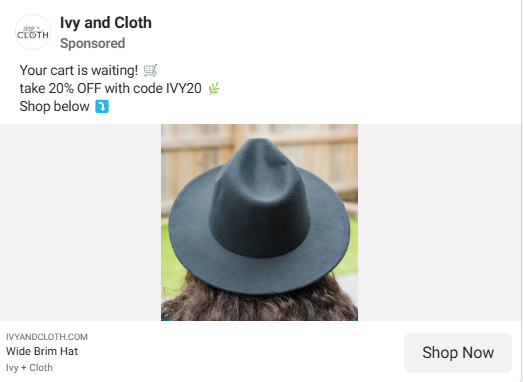
Cart abandoners are your hottest audience. These are users who went so far as to add a product to their cart but didn’t complete the purchase. The AddToCart event fired by your Meta Pixel captures this behavior, and you can build a custom audience around it.
The message for a cart abandoner should feel personal and direct. A generic brand awareness ad here is a wasted opportunity. Show the exact product or category they were browsing, and give them a clear reason to come back now.
3. Dynamic Product Ads

Dynamic Product Ads (DPAs) automatically pull product images, names, and prices from your Meta Product Catalog and serve them to users based on what they viewed or interacted with on your site.
This means if someone browses a specific pair of sneakers on your store, they’ll see that exact product in their Instagram feed. Setup requires connecting a Product Catalog in Meta Commerce Manager and mapping product IDs to Pixel events. Once live, DPAs automatically scale personalization, so you don’t need to build individual ad sets for every product.
4. Instagram Engagement Retargeting
This audience targets people who have interacted directly with your Instagram presence, including profile visits, post likes, saves, story interactions, or ad engagements.
You don’t need a website visit to qualify these users. This is particularly powerful for brands with strong organic reach, since it converts existing engagement into a retargetable audience without relying solely on pixel data.
5. Video View Retargeting
If you’re running video content on Instagram, you can retarget users based on how much of the video they watched. Meta lets you segment by thresholds: 25%, 50%, 75%, or 95% completion.
Someone who watched 95% of your product demo video is far more qualified than someone who saw 3 seconds before scrolling. Push a soft brand reminder to viewers who completed only 25%, and a direct conversion offer to viewers who completed 95%.
6. Customer List Retargeting
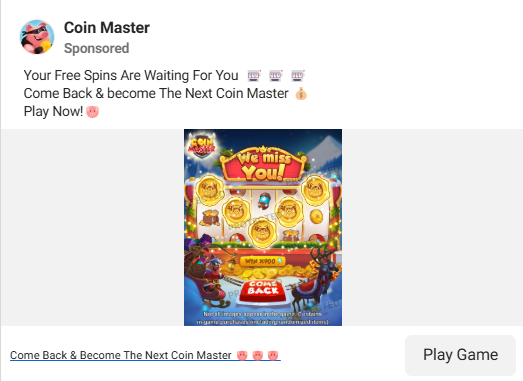
Upload a CSV of your existing customer emails or phone numbers directly into Meta Ads Manager, and Meta will match them to Instagram accounts. This is one of the least used retargeting formats.
You can use it to re-engage lapsed customers, promote a loyalty offer to past buyers, or suppress existing customers from cold audience campaigns to avoid wasted spend. Match rates typically range from 40%–70%, depending on data quality, so keeping your list clean and current matters.
How to Set Up Instagram Retargeting Ads?
Here’s the step-by-step guide to set up Instagram retargeting ads:
- Install the Meta Pixel & Conversions API: Add the Meta Pixel base code to every page of your site through Events Manager, then verify your standard events are tracking correctly using the Meta Pixel Helper Chrome extension. The four events most relevant to retargeting are ViewContent, AddToCart, InitiateCheckout, and Purchase.
- Build Your Custom Audiences: Inside Meta Ads Manager, go to Audiences and select Create Audience > Custom Audience. The most relevant source options for retargeting include Website, Customer List, Video, and Instagram Account. Build separate audiences for each funnel stage so you can assign different creatives and bids to each. Common retargeting audiences include all website visitors, product page viewers excluding purchasers, cart abandoners, profile engagers, and uploaded customer lists for upsell or win-back campaigns. Always apply audience exclusions. Recent purchasers should be excluded from cart abandonment campaigns, and your warmest retargeting audiences should be excluded from cold prospecting campaigns to avoid budget waste.
- Create Your Campaign & Choose the Right Objective: Click Create in Ads Manager, then select the objective that matches your funnel stage. Sales works for cart abandoners and high-intent product page viewers, while Leads suits users who visited a lead-capture page but didn’t convert. Engagement fits Instagram-engaged audiences ready to move deeper into the funnel, and Traffic suits upper-funnel retargeting where the goal is a return site visit. Under Placements, manually select Instagram Feed, Stories, and Reels to keep your ads on Instagram only. Leaving Advantage+ Placements enabled will distribute spend across Facebook and Audience Network.
- Choose Your Ad Format & Match Creative to Audience Intent: Retargeting creative should address the final objection to conversion rather than reintroducing the brand. For cart abandoners, that often means price anxiety, so test free shipping offers or small discounts. For Instagram, UGC-style videos tend to outperform polished brand creative because they fit the organic content environment. Single image and carousel ads work well in the Feed for product-focused retargeting.
- Control Frequency, Bidding, & Attribution Windows: Retargeting audiences are smaller than cold audiences, so frequency fatigue sets in quickly. Monitor your frequency score in Ads Manager and refresh your creative when the same audience starts seeing your ad too often. For bidding, start with Cost Per Result Goal bidding to give Meta’s algorithm room to optimize, then move to manual bid caps once you have enough conversion data to set a reliable ceiling. For attribution, a 7-day click, 1-day view setting is a reasonable baseline that captures realistic retargeting conversion windows without inflating results.
*Note for Dynamic Product Ads: Before running DPAs, set up your product catalog in Meta Commerce Manager (either manually, via a data feed, or by integrating your Shopify, WooCommerce, or BigCommerce store) and connect it to your Instagram account.
Recover Lost Conversions With Retargeting Ads & GetHookd
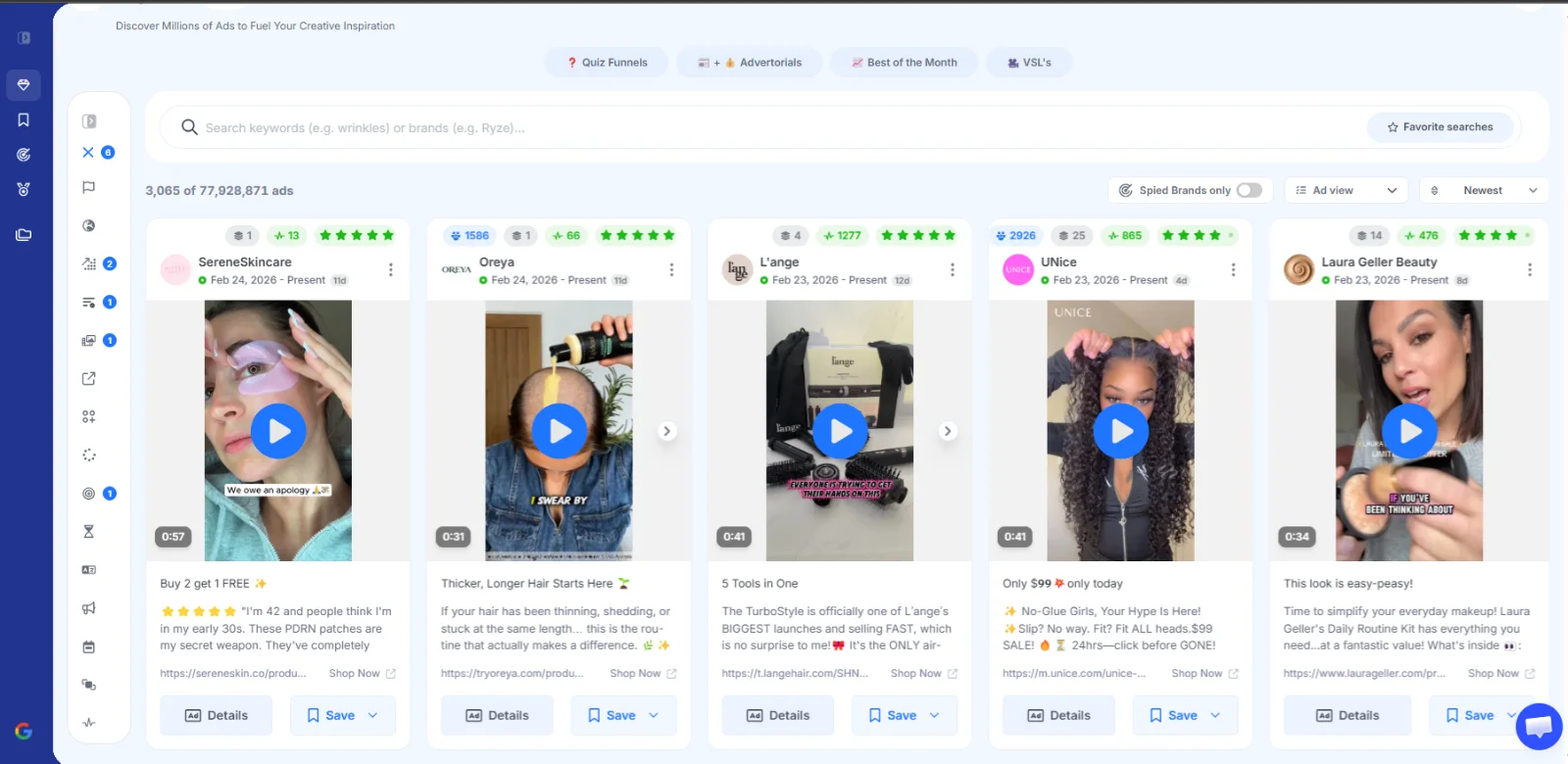
Instagram retargeting ads pay off when audience structure, creative intent, and refresh cadence work together. Brands that segment by funnel stage, tailor creative to the objection blocking each user, and rotate ads before fatigue strikes are the ones turning warm Instagram traffic into measurable revenue.
At GetHookd, we built our platform to make that workflow faster. Across 65M+ Meta ads, you can see how leading brands structure their retargeting creative, and our Clone Ads, AI Video Scripts, and Creative Analyzer help you ship fresh variations in days. If you want to see what is converting in your niche, start your free GetHookd trial today.
Start your free GetHookd trial today.
Frequently Asked Questions (FAQs)
What is the minimum audience size needed for Instagram retargeting ads to work?
Meta requires a minimum of 100 matched users in a custom audience before an ad set can run. In practice, performance tends to stabilize at larger sizes since smaller audiences often face limited delivery and inconsistent results. If your audiences are too small to spend on, expand your lookback window or broaden the triggering event to bring in more users.
Do I need a product catalog to run Instagram retargeting ads?
You only need a product catalog if you want to run Dynamic Product Ads (DPAs), which automatically show users the specific products they viewed. For all other retargeting types, like website visitors, engagement audiences, video viewers, and customer lists, a catalog isn’t required.
Can I run Instagram retargeting ads without the Meta Pixel?
Yes, partially. Without the Meta Pixel, you lose access to website-based custom audiences, such as product page viewers, cart abandoners, and checkout initiators. You can still build retargeting audiences from Instagram engagement data, video views from your Instagram content, and customer list uploads using email addresses or phone numbers. These pixel-free options work for brands with a strong organic Instagram presence or an existing customer database.
Can I use GetHookd to produce Instagram retargeting ad variations faster?
Yes. GetHookd is built for high-volume creative testing, with Clone Ads generating multiple variations from one creative, AI Video Scripts handling script copy, and Creative Analyzer surfacing the patterns behind your top performers. Together, these tools help you refresh retargeting creative before frequency fatigue sets in.
How does GetHookd improve ROAS?
GetHookd improves ROAS by removing the guesswork from creative testing. For retargeting specifically, our platform helps you analyze high-performing ads in your niche, generate fresh creative variations with Clone Ads and AI Video Scripts, and refresh ads before frequency fatigue tanks performance.
*Note: Pricing and/or product availability mentioned in this post are subject to change. Please check our website for current pricing and stock information before making a purchase.